Collect reviews with AI
Short answer: connect Trustni to Claude once, then paste your orders and say "ask these customers for a review". Claude makes a personal review link for each customer and Trustni sends it on WhatsApp or by email, at the right moment. When the reviews come in, you approve them and share them, from the same chat.
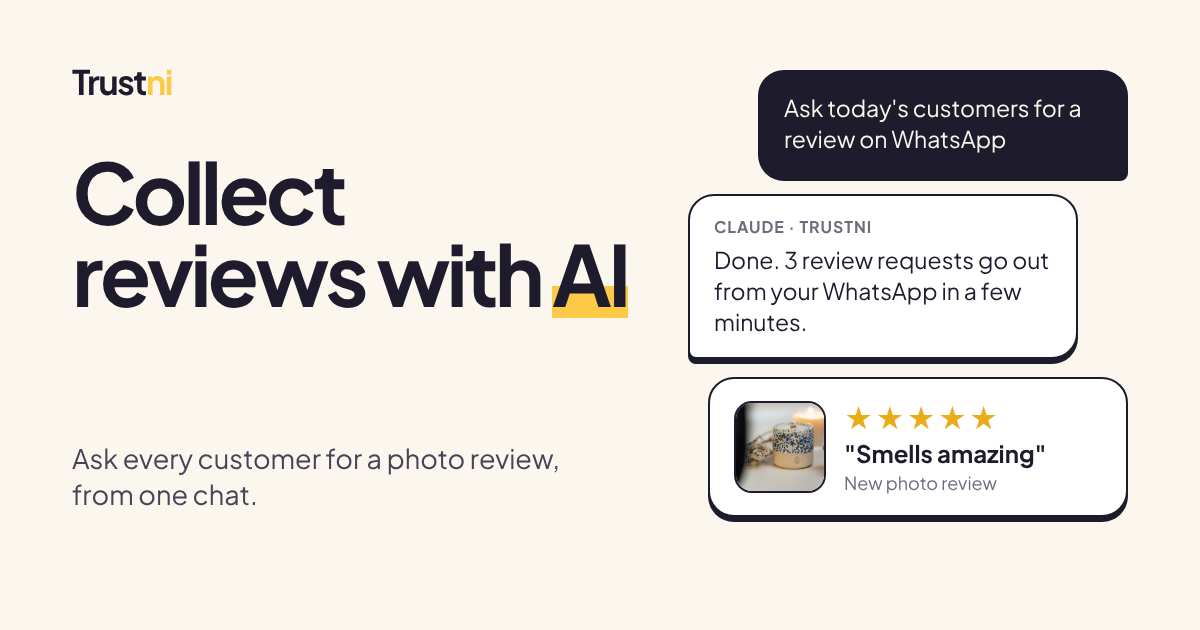
In our own test, the whole loop took four minutes: asking Claude, the WhatsApp message arriving, and a 5-star review with a photo going live.
Collecting reviews is the part everyone skips
Every small shop knows reviews sell. Almost none of them collect reviews properly. Not because they don't care, but because asking is a chore:
- You have to remember who bought what, and when it arrived.
- You have to write a message for each customer, or copy the same one again and again.
- You have to chase the link, check who replied, and then do something with the review.
So it gets done for a week, then forgotten. The result is a shop with great customers and almost no proof of it.
AI is good at exactly this kind of work: boring, repetitive, and easy to describe in one sentence.
What "collect reviews with AI" really means
Let's be clear about one thing first. The AI doesn't write reviews. Fake reviews, including ones written by AI, are illegal in many places. In the US, the FTC banned them outright in 2024. And customers can smell them.
Collecting reviews with AI means the AI does the asking, and real customers do the reviewing:
- You tell the AI who bought what, in plain words or by pasting a list.
- The AI turns that into a review request for each customer.
- Your customer gets a short, friendly message with a link, writes the review on their phone and adds a photo.
- The AI tells you who reviewed, and you approve the reviews you want to show.
You stay in charge. The AI just removes the busywork.
What you can ask Claude to do
Once Trustni is connected, you talk to Claude like you'd talk to an assistant:
| You say | What happens |
|---|---|
| "Ask today's customers for a review" + your list | A personal review link for each customer, sent on WhatsApp or by email after your usual wait |
| "Make review links for these 5 customers" | Links you send yourself, in your DMs |
| "Any new reviews this week?" | Your latest reviews, with ratings and photos |
| "What's waiting for my approval?" | Reviews that aren't live yet |
| "Approve Sara's review" | It goes live on your review wall |
| "Did Omar open his link?" | Who opened, who reviewed, who didn't |
| "Give me my review wall link" | One link with all your reviews, for your bio |
| "Show me my look" | Your four design options, drawn with your colours and a real review |
Before Claude messages anyone, it shows you the list and waits for your OK.
A real example, start to finish
This is what happened when we tested it on a real shop (names changed):
You: Send a review request to Sara on WhatsApp, +962 7… She took the Run workshop.
Claude: Done. A WhatsApp review request to Sara for the Run workshop is scheduled. It goes out from your WhatsApp Business number within a few minutes.
Three minutes later Sara got a WhatsApp message from the shop's own number. She opened the link, tapped five stars, wrote two words and added a photo.
You: So?
Claude: It worked. Sara left ⭐⭐⭐⭐⭐ "Loved it" with a photo, and it's live on your review wall.
No dashboard, no copy and paste, no spreadsheet. Four minutes from asking to a live photo review.
How to connect Trustni to Claude
It takes about a minute. You need a Trustni account (the first month is free) and Claude.
- In Claude, open Settings → Connectors.
- Choose Add custom connector and paste this address:
https://api.trustni.app/mcp - A Trustni page opens. Sign in, check what Claude will be able to do, and press Allow.
- Back in Claude, try: "Show me my reviews waiting for approval."
Claude never sees your Trustni password. It gets a key that only works for your shop, and you can switch it off any time.
Using ChatGPT? Trustni is built on MCP, the open standard both Claude and ChatGPT use to connect apps. It is waiting to be listed in ChatGPT. Until then, use Claude.
Prompts you can copy
Paste these into Claude after connecting. Change the names and products.
From a list of today's orders:
Ask these customers for a review by WhatsApp:
Sara, +44 7700 900123, Lavender candle
Omar, +44 7700 900456, Gift box
Lina, [email protected] (email), Lavender candle
From a spreadsheet: attach your orders file and say:
These are this week's delivered orders. Ask everyone who hasn't been asked yet for a review.
Use WhatsApp when there's a number, email otherwise.
On Shopify: connect Claude's Shopify connector too, and Claude reads your orders by itself. See Get Shopify reviews with AI.
A weekly check-in:
How did reviews go this week? Who reviewed, who didn't open their link,
and is anything waiting for my approval?
Clean up before posting:
Show me my 5-star reviews with photos from this month,
and approve the ones that are still pending.
Why this gets you more reviews
Most review requests fail for three reasons. The AI fixes all three:
- Timing. A request should land when the product is in the customer's hands. Trustni waits the time you choose before sending, so you can ask Claude the moment you ship.
- Effort. If asking takes you ten minutes per customer, you'll stop. Asking a whole list takes one sentence.
- Follow-through. You can ask "who didn't review?" and send a second link only to them, instead of guessing.
And because Trustni asks for photos and video, not just stars, the reviews you collect actually convince people. A real customer holding your product is the strongest proof a small shop can have.
Put the reviews where people find you
Collecting reviews is half the job. The other half is showing them where new customers decide whether to trust you: Instagram, TikTok and WhatsApp.
From the same chat you can get your review wall link for your bio, and in the Trustni studio every review becomes a story image in your colours, ready to post. We wrote more about this in how to get customer reviews when you sell on Instagram.
Is it safe?
- Your password stays with you. Claude signs in through Trustni's own page and gets a key for your shop only.
- You approve every message. Sending a request always asks for your confirmation first.
- Your customers' details stay private. Phone numbers and emails are only used to send the message you asked for, and Trustni never sends them back to the AI.
- You approve every review. Nothing goes live on your wall without your OK, unless you choose to auto-approve.
- You can disconnect any time from Sending in your Trustni studio.
The details are in our privacy policy.
Start collecting reviews with AI today
- Start your free month of Trustni. It takes two minutes.
- Connect it to Claude with the steps above.
- Paste your last week of orders and say "ask them for a review".
Your next review could be live before you finish your coffee.
Questions
Does the AI write the reviews?
No, and it never should. The AI only asks your real customers for a review and helps you manage the ones they send. Every review is written by a real customer on Trustni's review page. Fake reviews, including AI-written ones, are illegal in many countries and they destroy trust the moment someone spots them.
Which AI assistants does it work with?
Claude today, as a connector you add in a minute. Trustni is built on MCP, the open standard Claude and ChatGPT use for connecting apps, and it is waiting to be listed in ChatGPT.
Will the AI message my customers without asking me?
No. Sending a review request is marked as an action that needs your confirmation, so the assistant shows you who it's about to message and waits for your OK.
Do my customers need an app or an account?
No. They get a link on WhatsApp or by email, open it on their phone, tap the stars, write a few words and add a photo or video. It takes about a minute.
Can the AI see my customers' phone numbers and emails?
Only the ones you give it to send a request. Trustni never sends phone numbers or emails back to the assistant, and they are only kept to send the message you asked for.
What do I need to send requests on WhatsApp?
Connect your WhatsApp Business number in Trustni once, under Sending. Messages then go out from your own number, with your shop's name. Email works with no setup.
Does it work in Arabic?
Yes. Trustni's review pages, messages and emails work in English and Arabic, and you can talk to Claude in either language.
How much does it cost?
The AI connection is part of Trustni. Trustni is free for 30 days, then $9 a month, with no product limit. Your Claude plan is separate.
How do I disconnect it?
In Trustni, go to Sending in your studio and press Disconnect all. You can also remove Trustni in Claude's connector settings.